Case studyiPhone · Travel · On-device tools · In progress
ItaloPlanner
An iPhone companion for the small questions that come up in Italy: what is worth a walk, what is on the menu, and how to ask the waiter. Sourced local guides, optional walking plans, menu and wine-list readers, and Italian phrase cards in one app. Saved guides and several table tools work offline; fresh searches need a connection. No accounts, analytics or ads. In development.
The useful part of a trip
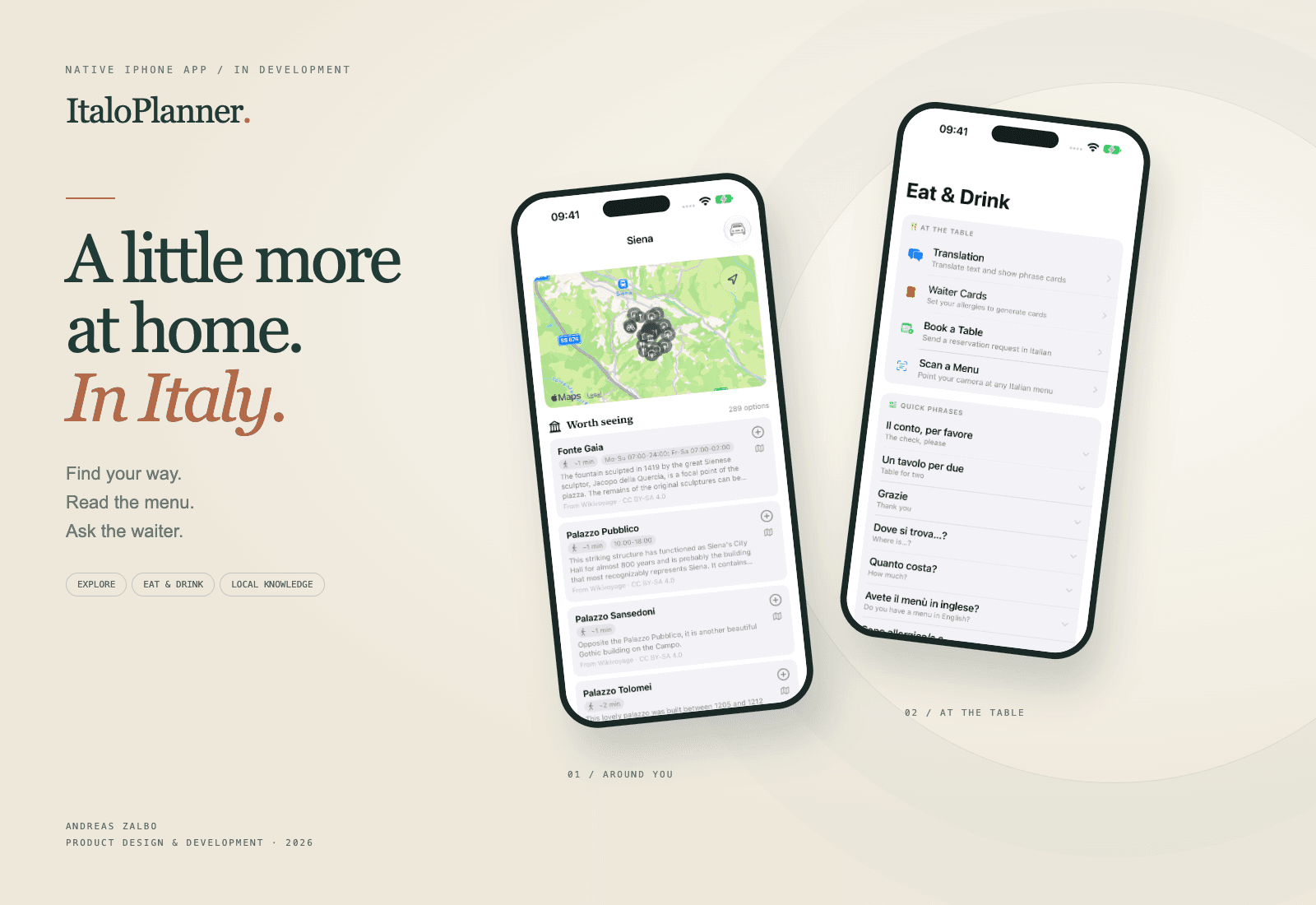
ItaloPlanner is built around the smaller questions that come up once you are in Italy: what is worth a walk from here, what is on this menu, and how do I ask for a table? Those questions connect naturally. You find somewhere to eat, read what it serves, and need a few words when the waiter arrives.
The app brings those moments together in a native iPhone interface. It is still in development.
Explore first, plan if you want
The starting point is an area, not a packed itinerary. Choose a town or use your current location and see places grouped by what you might do there: something worth seeing, a view, somewhere to sit, food, coffee or shopping. Two cafés on one square remain two alternatives.
If you want more structure, choose a day mood or pick your own stops. The planner keeps them in a walkable zone, shows estimated travel between them and lets you use your hotel as a starting point. A plan can be shared or added to Calendar.
A guide with its sources attached
Wikivoyage provides traveller-written guide entries. OpenStreetMap adds practical details and places the guide does not cover. Wikipedia supplies further reading. Where that content appears, its source goes with it. A gap in coverage should stay visible rather than be filled with prose that sounds like someone has visited when they have not.
Saved area guides remain available offline. Fresh place searches, maps and additional online results still need a connection.
From the street to the table
The menu reader accepts camera images, photos and PDFs. It extracts printed text on the device, keeps dish names and prices together where it can, and offers translation when the required language pack is installed. Optional explanations depend on the device's on-device AI support.
Food preferences carry through to menu flags, Italian waiter cards and reservation messages. A flag is a reason to ask the restaurant, never a promise that a dish is safe. The traveller can show a card directly, use pronunciation help, or prepare an Italian booking request and choose to send it themselves.
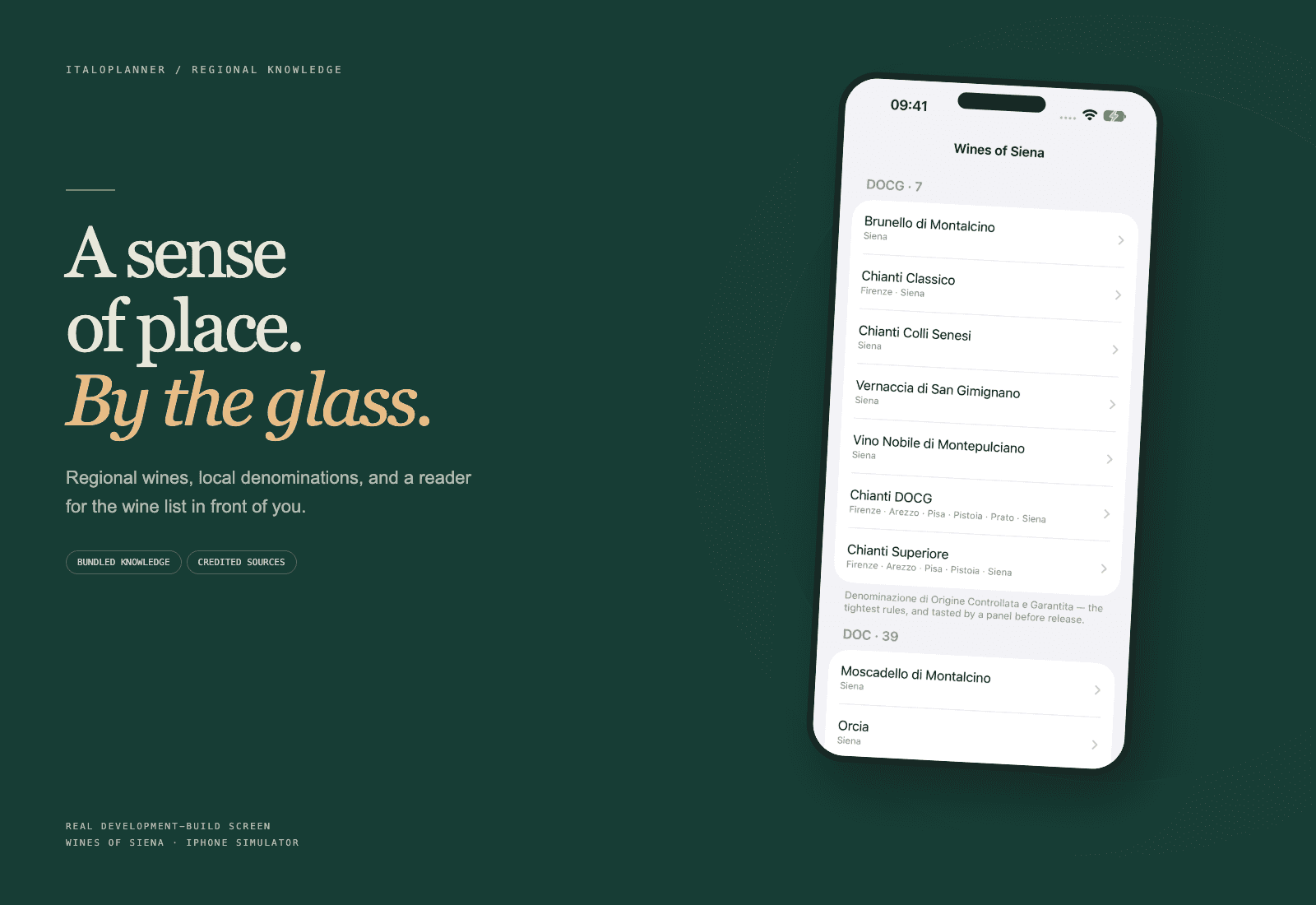
The wine tools add a different kind of context: regional denominations from credited open sources, and a reader for the list in front of you.
Making the next action easier
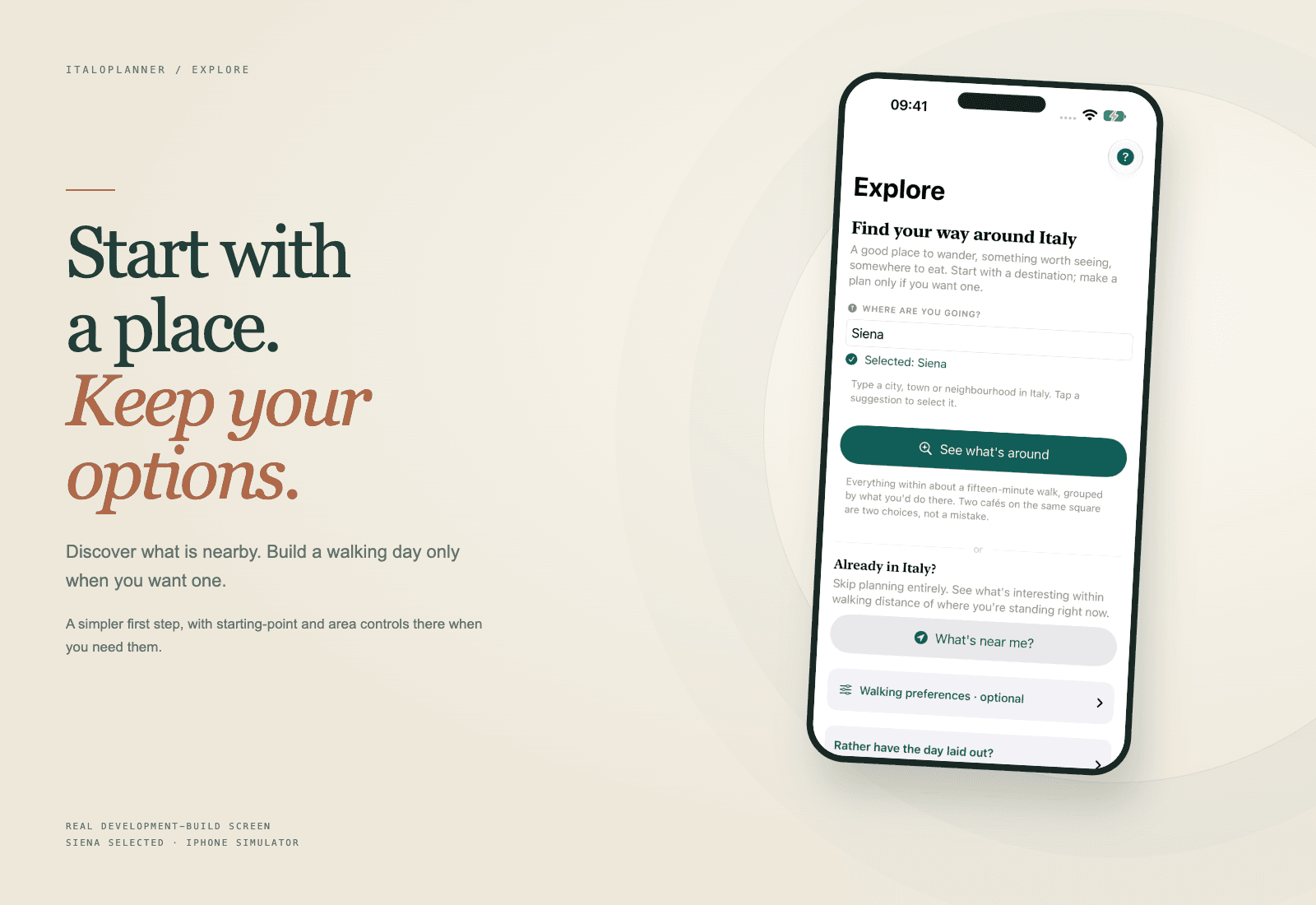
A review of the working app found that Explore asked the traveller to work through area controls and hotel details before reaching its main action. The revised screen puts the destination and discovery action first. Starting-point and search-area controls now sit in an optional disclosure.
The same review found a smaller but more concrete mismatch: “Read a wine list” opened the food-menu flow. It now opens in wine mode, classifies camera and imported pages accordingly, and displays the wine count. The original extracted text remains available to inspect or copy.
What stays on the phone
There are no accounts, advertising SDKs or analytics. Saved content and preferences use local SwiftData storage, with cloud sync disabled. Text extraction and supported translation and AI features run on the device.
That does not make every feature offline or every interaction private to the phone. Place searches go to Apple Maps; guide and area requests go to Wikimedia and OpenStreetMap services. Near Me uses location-derived queries. The app explains those recipients instead of making a blanket “nothing leaves your device” claim.
How it is built
SwiftUI for the interface, SwiftData for local persistence, MapKit for places and maps, Vision for text recognition, and Apple's Translation and Foundation Models frameworks where available. Much of the work lives below the screens: menu layout parsing, source attribution, neighbourhood boundaries, walkable plans and preserving saved data when something fails.
The development review passed the existing 380-test suite. That is a useful baseline, not a substitute for travel use, restaurant menus in poor light, VoiceOver, large text or slower connections.
What comes next
The next worthwhile work is field testing rather than adding another tool: real menus with awkward columns, searching under weak connectivity, and walking a generated plan. The app has enough features to be useful. The priority is making the ordinary paths dependable.